THE VIRTUAL WAITLIST APP FOR LONG OUTDOOR LINES

Let customers wait remotely instead of standing in long physical lines. QCrowds helps high-traffic venues manage outdoor queues, monitor occupancy across multiple entrances, and keep entry flowing smoothly while customers track their place in line on their phone.

QCrowds product introduction video

Built for fast-moving entrances

Ideal for long outdoor lines.

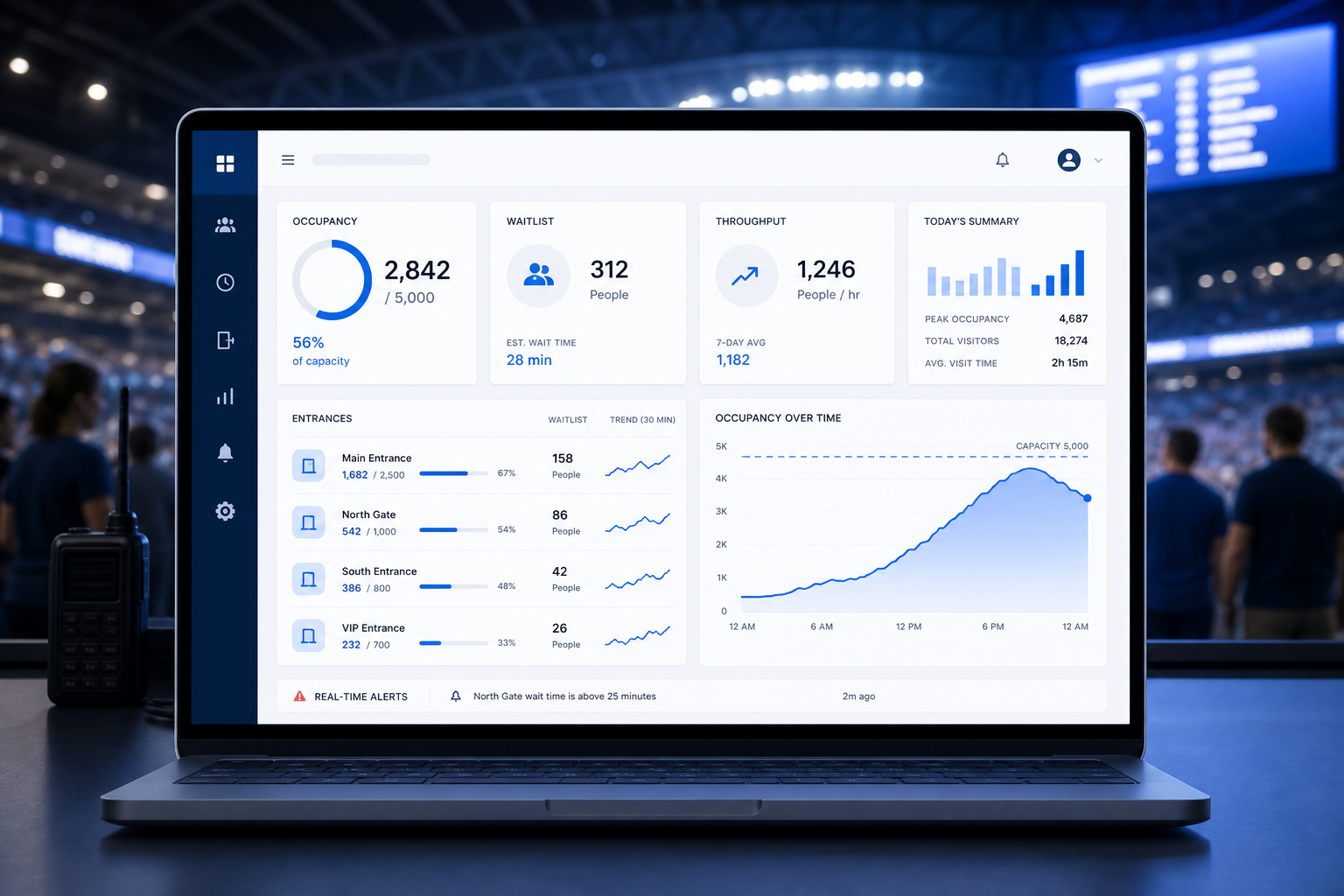
Occupancy across multiple entrances

Keep track of live entry counts from more than one device at the same time.

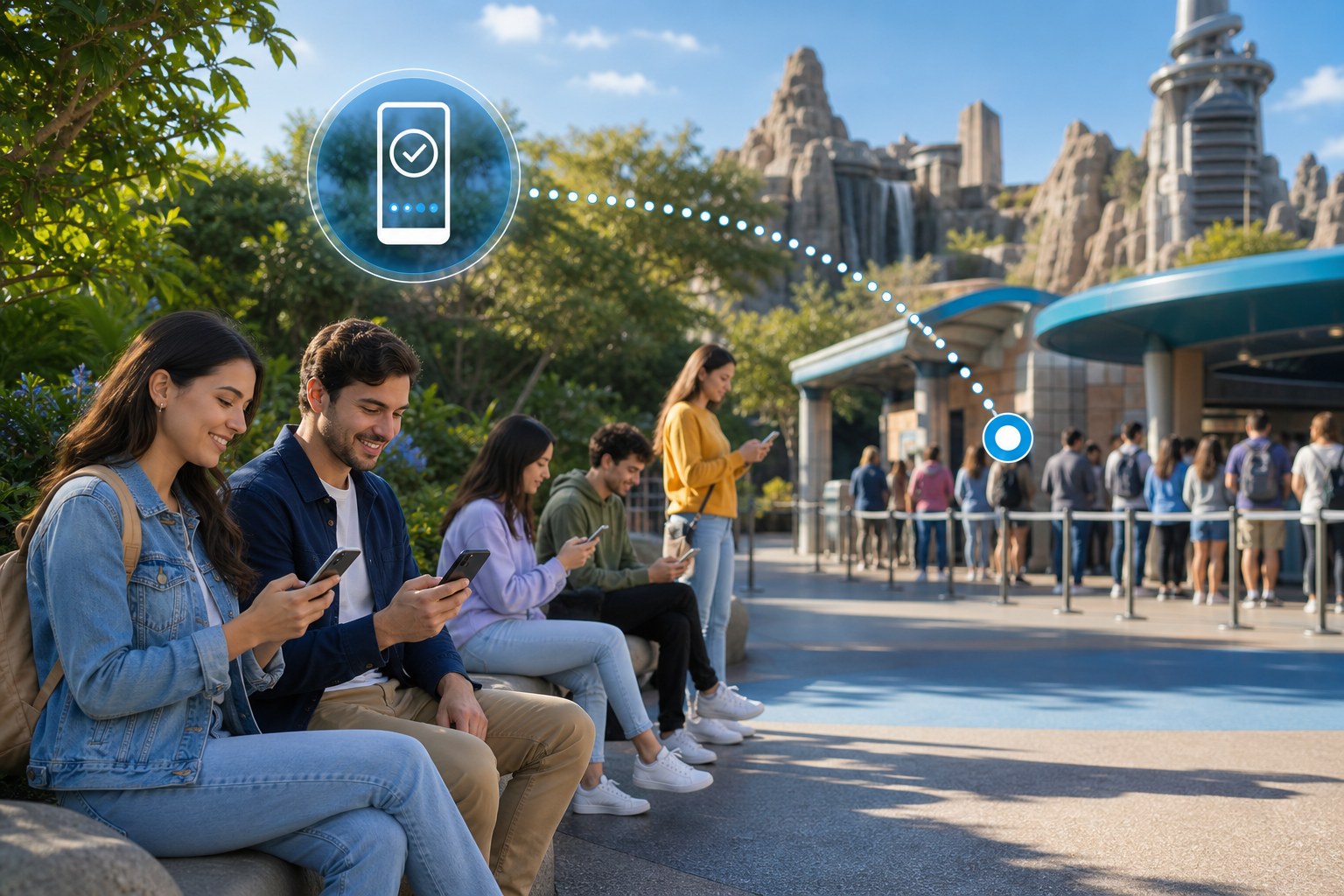
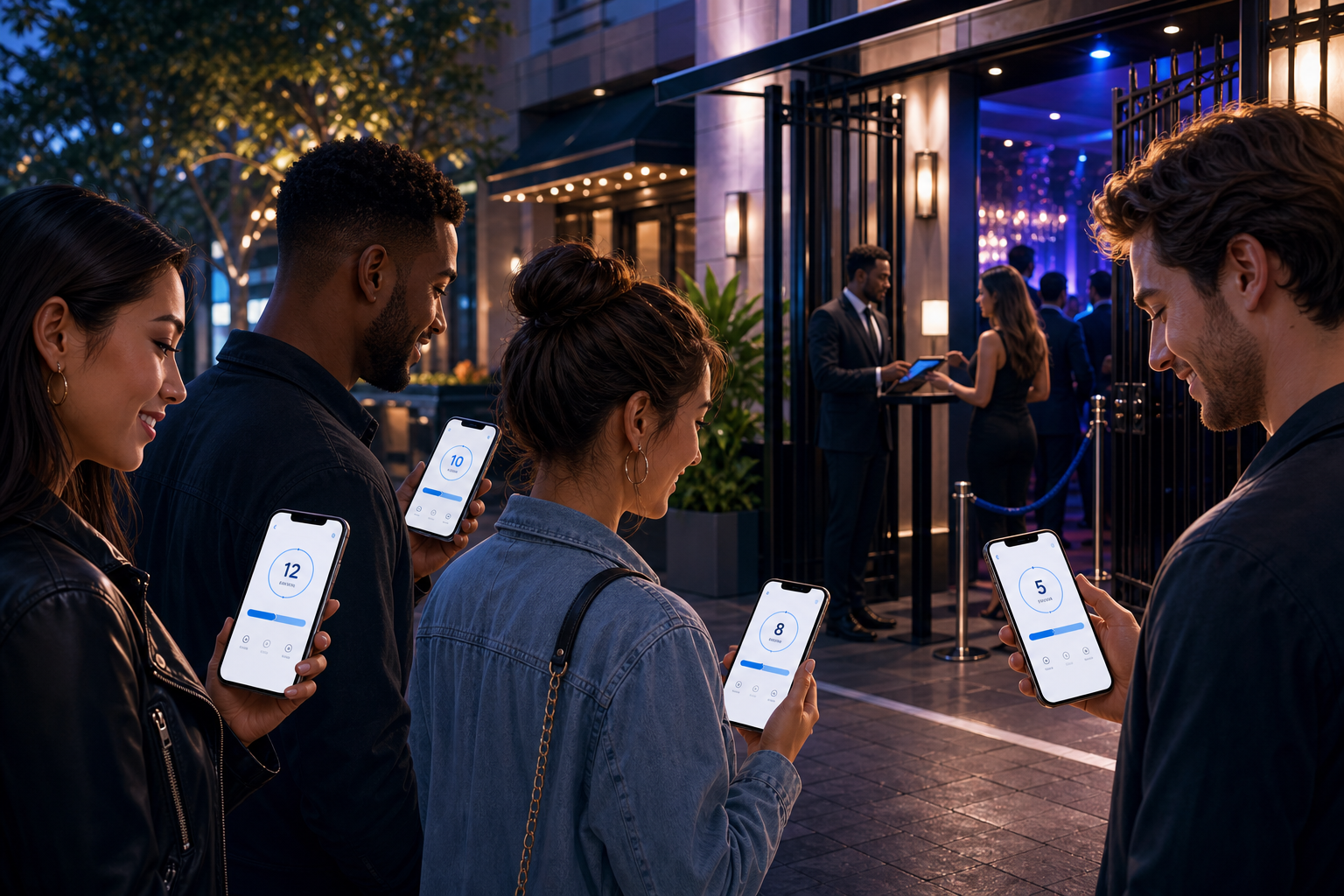
Customers wait remotely

Guests follow their place in line from their phone instead of crowding the entrance.

Managers stay in control

Set capacity, manage staff access, and monitor operations remotely.

Remote Waitlist for Busy Venues

QCrowds is built for places where lines form outside and move fast, such as government offices, emergency operations, banks, events, amusement parks, nightclubs, bars, and busy stores.

When your venue reaches capacity, customers can join a virtual waiting list from their phone and follow their progress in real time instead of waiting in a crowded physical line.

A remote waitlist experience designed for busy venues and fast-moving entrances.
Events and Festivals

Let attendees join a virtual line before they reach the gate and keep entrances clear.

Government Offices and Banks

Reduce crowding in front of service counters and give visitors transparent wait visibility.

Attractions and Resorts

Handle heavy traffic while monitoring occupancy and bringing guests forward smoothly.

Nightclubs, Bars, and Busy Stores

Keep outdoor lines organized during peak hours without forcing customers to stand in place.

Virtual Waiting List for Long Lines

Once your venue is full, customers can join the lineup online and wait from wherever they like.

Customers join on their own phone

No app install is required to get onto the virtual waitlist.

Real-time place in line

Customers can see their place update live and request more time when needed.

The queue moves automatically

QCrowds keeps the lineup organized while staff focus on the entrance.

A minimal physical line

The system maintains a small line at he entrance to ensure continuous flow.

Simple Entry for Staff and Guests

Keep admissions easy at the door while still giving staff strong control over who enters and when.

Scan a QR Code to join

Customers can join the queue by scanning a QR code instead of waiting in a physical line.

Fast entry verification

Attendants scan the customer QR code at the entrance so the line keeps moving.

Entry stays quick while still giving staff control over who enters and when

The experience stays simple for guests while staff keep the entrance organized.

Notifications icon

Advanced Remote Notifications and Customer Experience

Customers do not need to stand in a long line.

A live web app that updates automatically

Customers can follow their place in line without needing to refresh the page.

WhatsApp, SMS, email, or push notifications

QCrowds keeps customers informed through the communication method that works best for them.

Useful queue information, including position and venue-related status

This reduces uncertainty, makes waiting easier, and helps more people stay in line during longer waits.

How It Works

QCrowds combines occupancy monitoring and a virtual waitlist into one simple flow.

1

Monitor Capacity

Use just the queue system, or optionally use synced counters across one or more entrances to keep track of how many people are inside.

2

Open the Virtual Waitlist

Customers can add themselves to the lineup online when the venue is full.

3

Track the Queue Remotely

Customers follow their place in line on their phone while staff manage the flow from connected devices.

4

Call Forward Small Groups

As space opens up, attendants bring customers forward in small groups to keep entry smooth and continuous.

Multi-Device Staff Control

The system is made for venues with multiple entrances.

Synchronized queue manager and people counter

The queue manager and occupancy counter can be synchronized across multiple devices.

Role-based staff access

Administrators can send login access to staff remotely and remove it from a specific device when needed.

Maximum capacity alerts

When the counter passes maximum capacity, the interface can turn red and the device can vibrate.

Administrators and employees can have different permission levels

This gives owners and managers control without slowing down front-line staff.

Administrators and employees can have different permission levels

This gives owners and managers control without slowing down front-line staff.

Analytics icon

Analytics and History

QCrowds helps you understand how your venue operates, not just manage the live line.

Track occupancy and entry counts over time

See how your venue operates over time, not just what is happening in the current moment.

Review history in graphical and table form

Understand trends quickly through both visual reports and table-based history views.

Download CSV data for your own analysis

Export data for reporting, audits, and deeper operational analysis.

View timeline history in 15-minute intervals to spot busy periods and traffic patterns

Identify peak windows quickly and refine staffing or entry flow with better timing data.

Peak traffic visibility

See the busiest windows and understand when capacity pressure starts building.

Operational history

Track resets, counts, and patterns over time so your team can refine the guest experience.

Pricing icon

Pricing

Start with the free counter, then upgrade when you need synced occupancy tracking and the virtual waitlist.

Free Counter

Free

Use the counter for one entrance without the queuing system.

Synced Counter + Waitlist

Starting at $49 / month

Try the synced counter with the virtual waiting list for free, then keep it running with a monthly subscription.

Included with paid plans

30 day money back guarantee, cancel anytime, and $25 in monthly SMS credits included with a subscription.

Ready to manage long lines without making customers stand in them?

Use QCrowds to control occupancy, reduce crowding at the entrance, and give customers a smoother way to wait.

Launch QCrowds for events, amusement parks, emergency operations, government offices, banks, nightlife venues, and other high-traffic locations.